Google Trends data: what it measures, how to read it and how to extract it
Google Trends data is a sample of real Google searches, anonymized, categorized by topic and aggregated, and shown as relative interest on a 0–100 scale instead of search volume. These guides explain each Google Trends data type, each limit and each method, from the index to the 429 error, and how to extract the data with code.

What is Google Trends data?
Google Trends data is a largely unfiltered sample of actual search requests made to Google, anonymized so no one is personally identified, categorized by topic and aggregated, according to Google Trends Help. Google normalizes it to the time and place of each request and scales it from 0 to 100, which makes it a measure of relative popularity from global down to city-level geography.
Which types of Google Trends data exist?
Google Trends data comes in 5 types, and each guide below covers one of them with the fields an API returns.
- Interest over time: the 0–100 series of a term across a time range.
- Interest by region: the ranking of countries, regions or US metros by share of searches.
- Related queries: top and rising searches around a term, with Breakout above +5,000%.
- Comparison: several terms on one scale, up to 8 groups in the new Explore.
- Trending Now: what a country searches right now, with an approximate volume bucket.
Google Trends data, explained attribute by attribute
Reading the data

Google Trends accuracy depends on sampling, privacy noise and a low-volume threshold, and holds best for popular terms and long ranges.
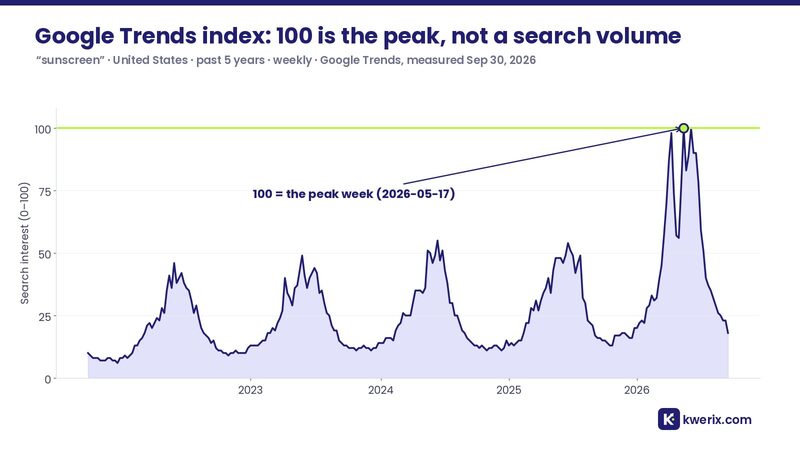
The Google Trends index scores search interest from 0 to 100, where 100 is the peak, and it is not a search volume.

Google Trends topics group every term with the same concept in any language, while search terms match exact words.


Data types
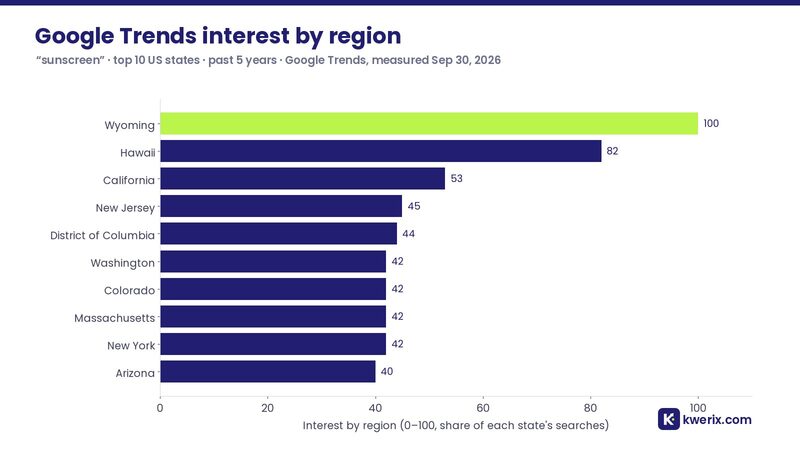
Google Trends interest by region ranks countries, states and US metros by their share of searches for a term, from 0 to 100.
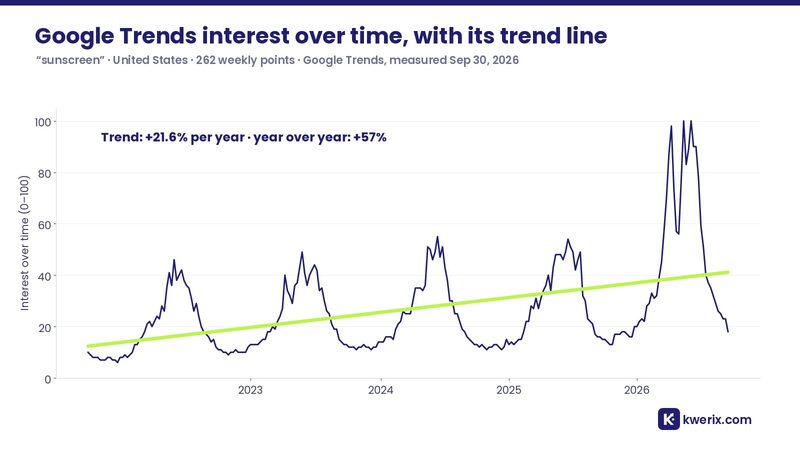
Google Trends interest over time is the 0–100 series of a term across a time range, weekly for 5 years or hourly for short ranges.
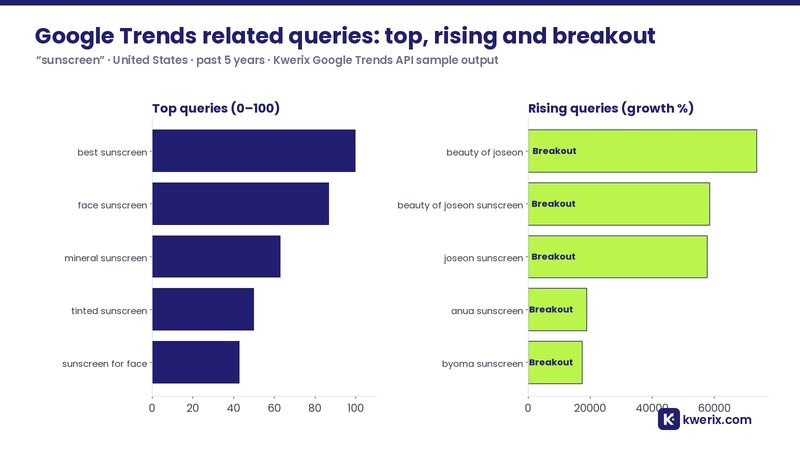
Google Trends related queries list the top and rising searches around a term, and Breakout marks growth above 5,000%.
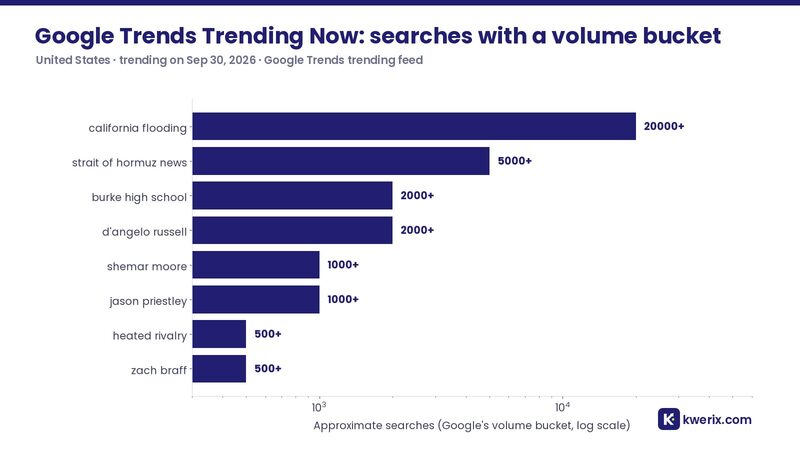
Google Trends Trending Now lists what a country searches right now, each trend with an approximate search volume bucket.


Methods and limits

The Google Trends 429 error means Google rate-limited the IP, and the guide lists what triggers it and how to fix it.
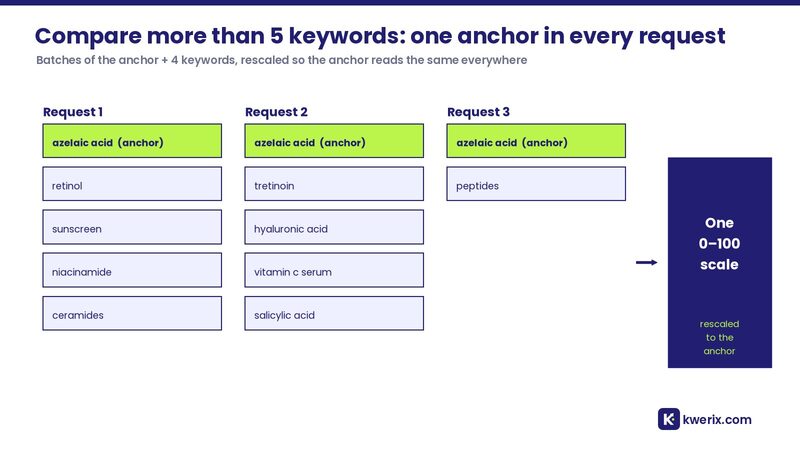
The guide on how to compare more than 5 keywords in Google Trends explains the anchor keyword method step by step.

The official Google Trends API is an alpha that Google opened on July 24, 2025, with access by application.
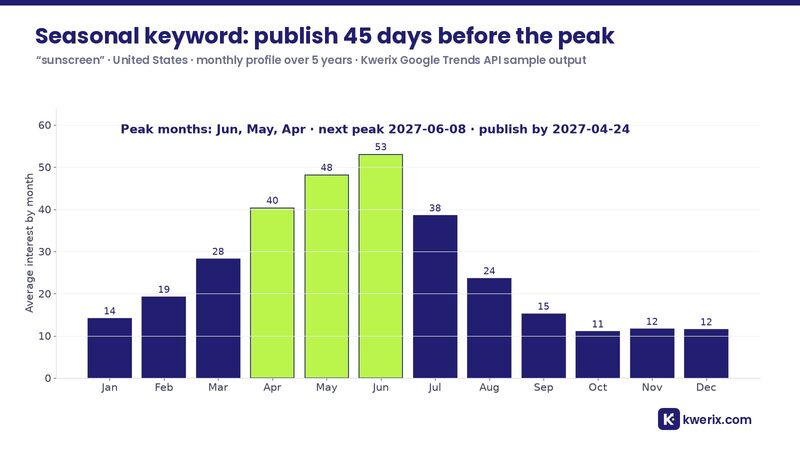
Seasonal keywords peak in the same months every year, and Google Trends shows when to publish, 45 days before the peak.


Code and agents
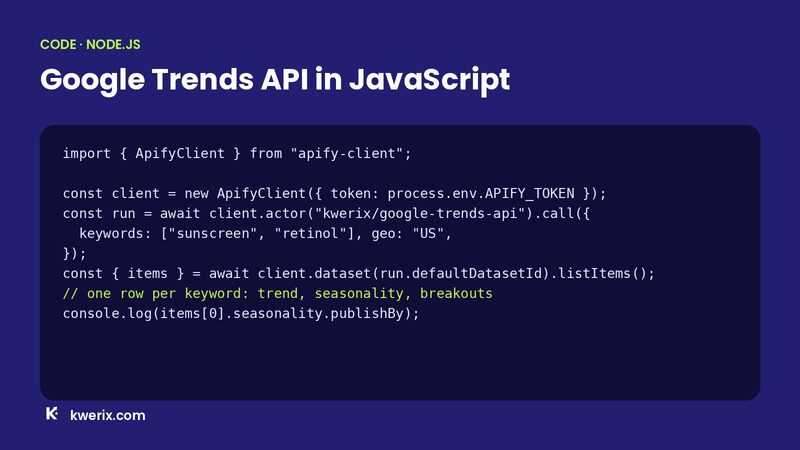
The Google Trends API in JavaScript guide runs the Actor from Node.js with apify-client or plain fetch.
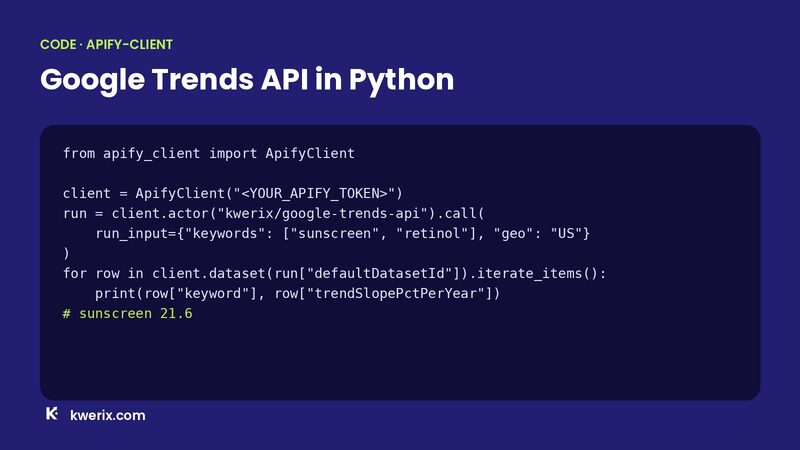
The Google Trends API in Python guide calls the Actor with apify-client and reads trend, seasonality and breakouts per keyword.
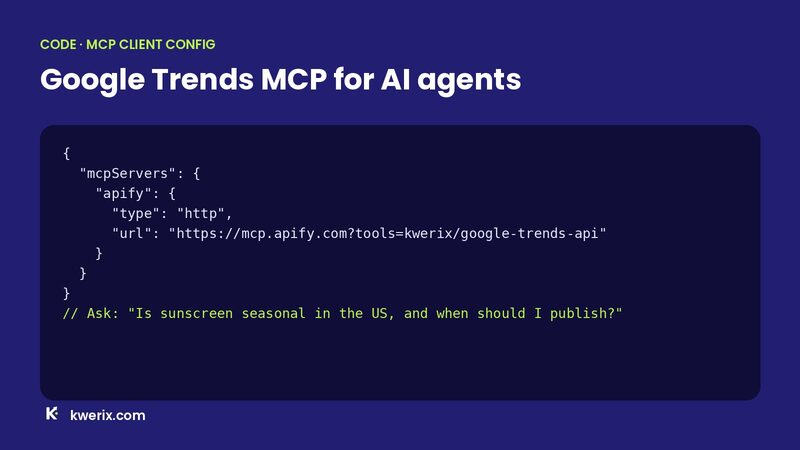
Google Trends MCP gives AI agents such as Claude, ChatGPT and Cursor Google Trends data as a tool through the Apify MCP server.


